Building custom tooling to increase design velocity

How we free up our designers’ intuition by streamlining the logistics of design

January 29, 2026
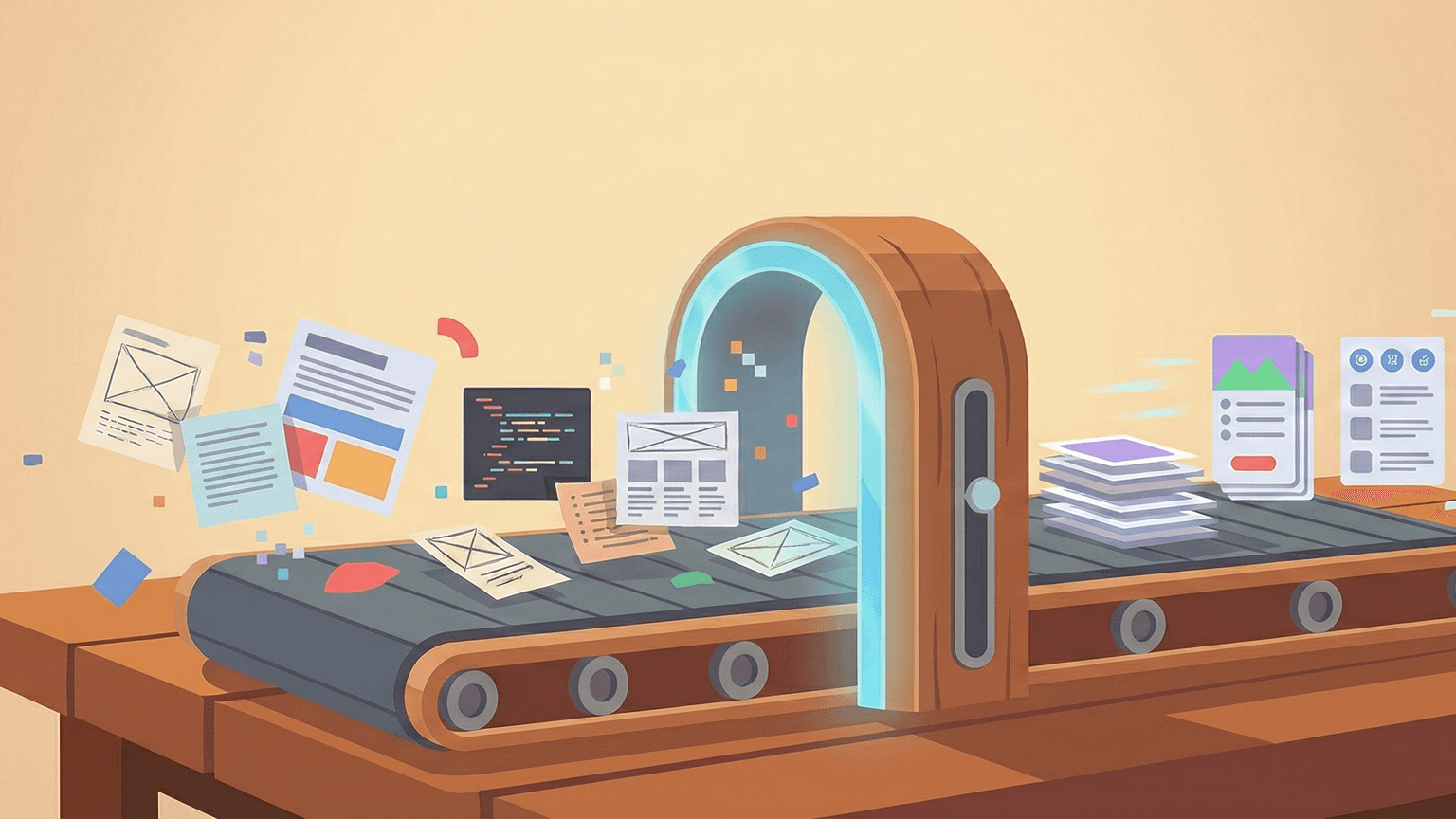
As a design team grows, the way we work has to evolve alongside the products we build. At scale, we face a dual challenge: coming up with the next big idea and creating a sustainable environment where those ideas can be realised quickly and consistently.

After all, even the best design processes have natural friction points. Designers often spend a chunk of their week on essential but repetitive tasks, like organising layers, searching for specific assets, or ensuring designs are used consistently across the product. By automating these "housekeeping" chores, we can significantly increase our market velocity, moving from a concept to a high-fidelity, testable prototype much faster.

This focus on efficiency also helps us manage design debt. Small inconsistencies in spacing or colour can easily slip through the cracks when you’re dealing with complex products. Custom tools act as a safety net, ensuring that what we hand over to developers is polished and accurate. This prevents complex "fixes" later in the production cycle, allowing both design and engineering to move in sync.

To help our team stay focused on high-level problem solving, we’ve started developing a suite of custom tools and plugins that work independently or with Figma. We want to free up our designers’ intuition by streamlining the logistics of design.

Lucid: Bringing consistency to copy

UX copy is a fundamental part of the product experience, but keeping it consistent across dozens of different features is a challenge. 

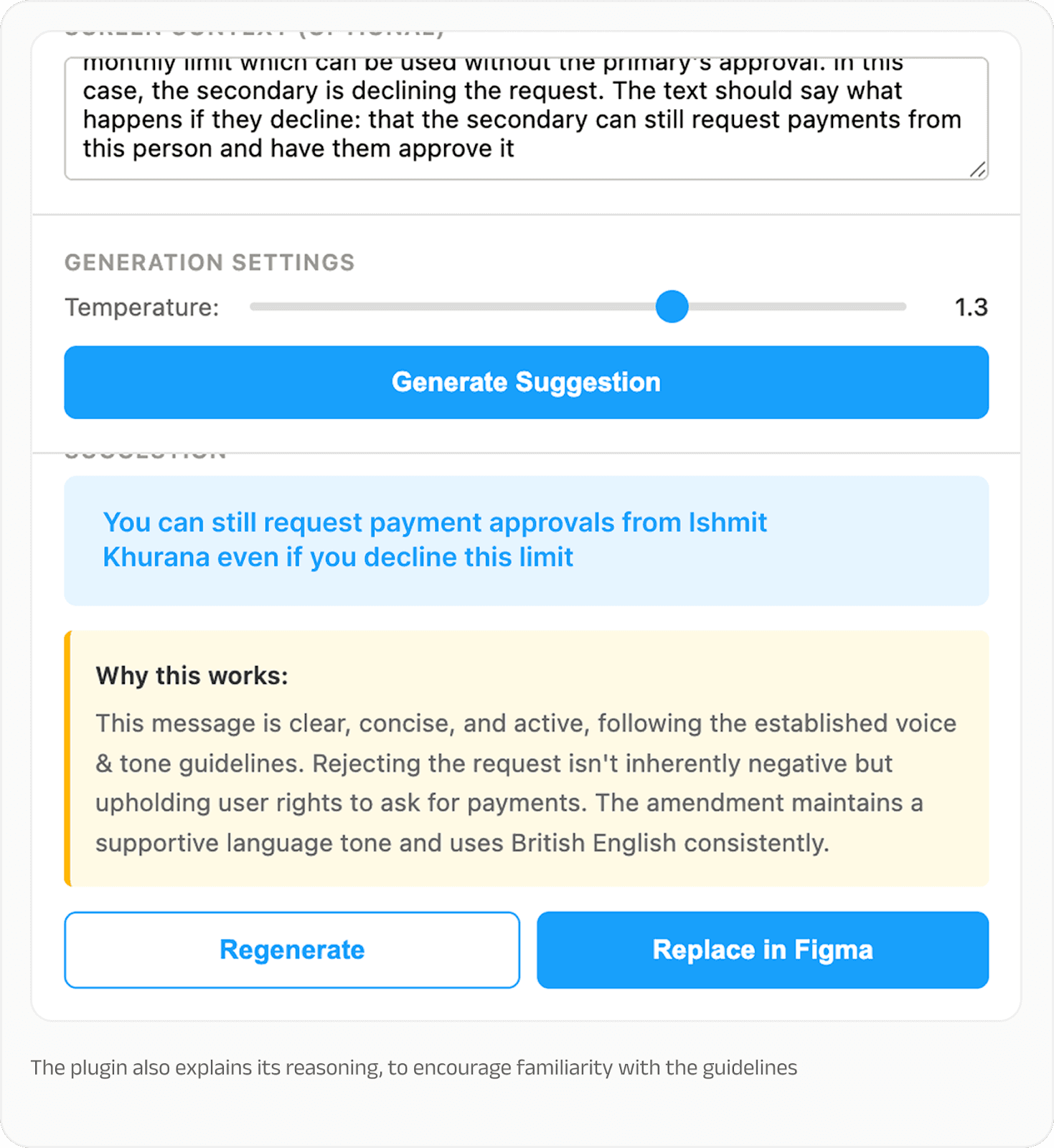
To solve that, we built an AI-assisted microcopy plugin called Lucid. It suggests microcopy right within the Figma file our designers are working on, based on the flow’s specific context as well as the global voice and tone guidelines that we’ve hard-coded into the plugin.

Lucid "sees" the component, so it knows if it’s working on an empty state or a confirmation message. This helps designers get as many variations of the copy as necessary, but all adhering to the best practices that apply to each component. 
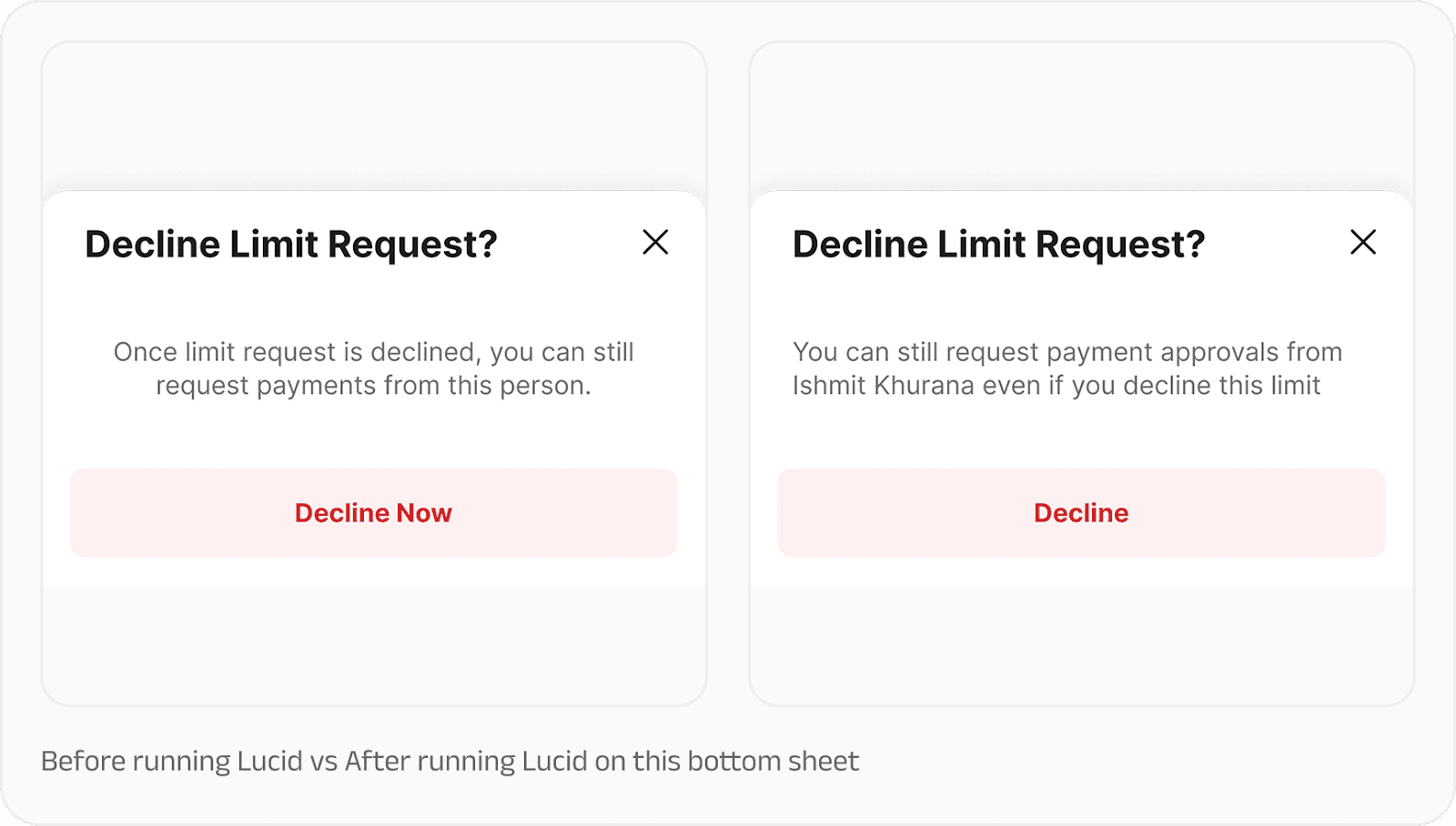

In its current form, Lucid handles the "80%" use cases, which includes standard UI copy like error messages, tooltips and labels.

This ensures our UX writers can focus on complex user flows and high-impact strategy. It also makes sure that product, business and engineering folks are able to digest complete flows so they can provide feedback on the actual user journey. 


FigHub: Making design accessible 

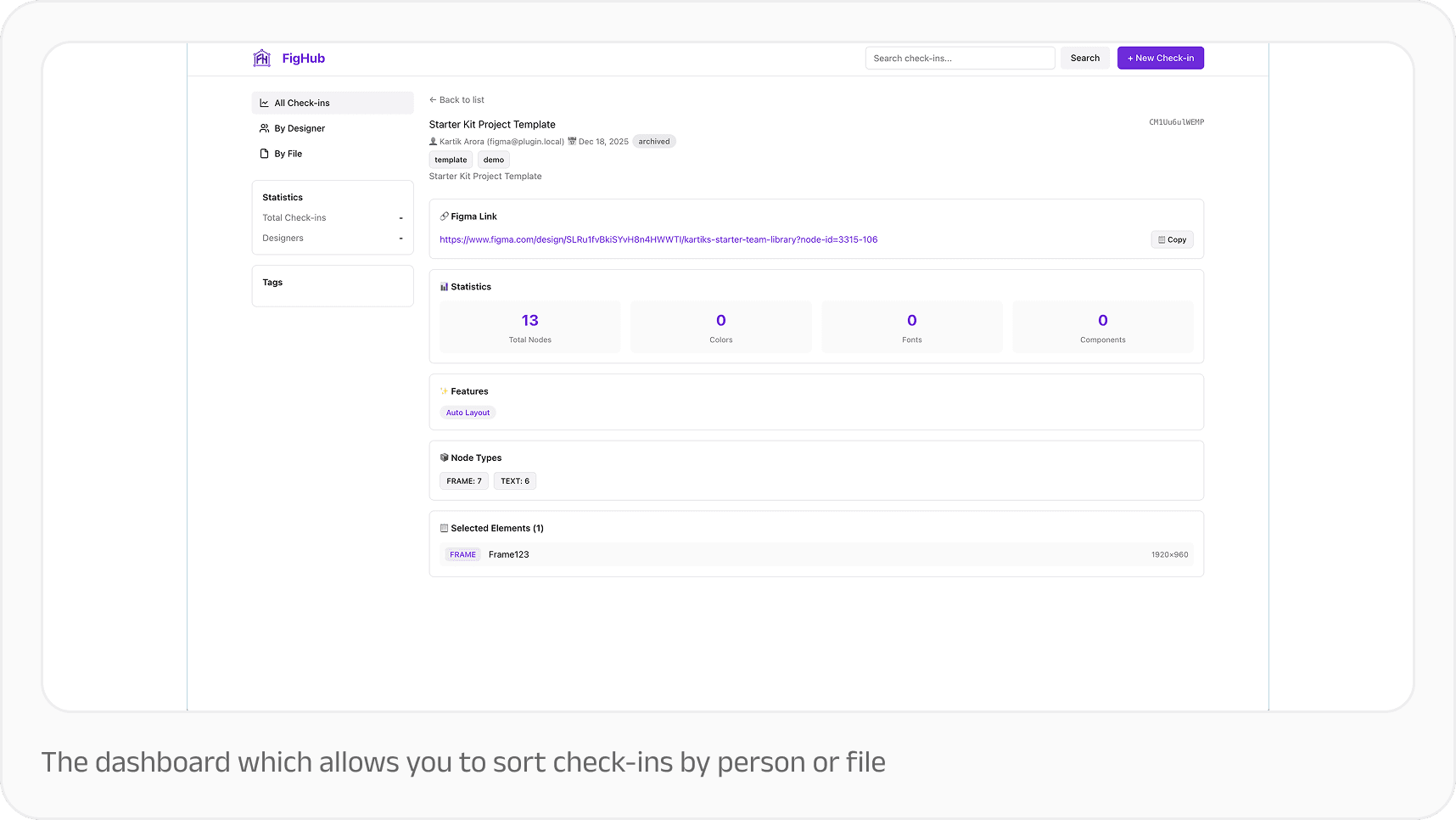
Designers, developers, and PMs often have to keep track of what is live on a product, what the latest iteration of a particular feature is, or even what design experiments happened a year ago that can finally have their time in the spotlight. We’ve seen that Figma, when used correctly, can be a very powerful and visual source of truth. It is a lot easier than reading a PRD, and a lot more reliable than getting an answer from an agent. Improving the discovery of design also has other benefits, like knowing how much each IC has on their plate, bringing more detailed work into performance reviews, and so on. 

To solve that, we’re building a bridge: FigHub. It’s a portal that allows anyone—from Product Managers to Developers—to browse and query our entire Figma repository.

By using a Figma MCP (Model Context Protocol), FigHub automatically generates documentation and context for each project. It turns our repository into a transparent, searchable library, making it easier for stakeholders to find what they need without needing to be an expert in design software.
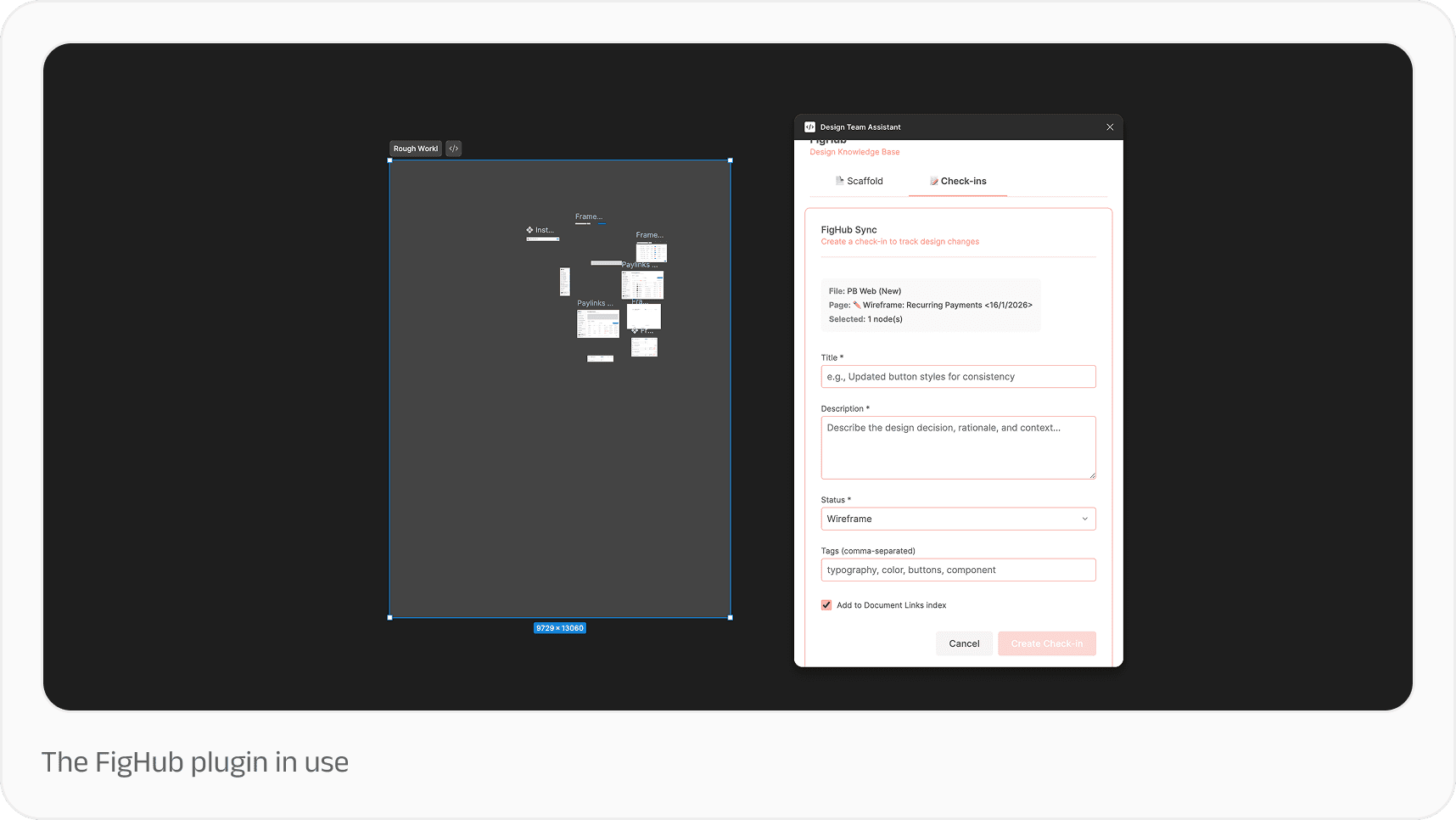
FigHub has been a huge success in the few pods we’ve piloted it in, because designers have been able to easily maintain structure and organise Figma files in a way that is searchable. As a stretch goal, we’d love to break free from the Figma file and make this a global repository and chatbot, by creating a version control system that the entire organisation can query and discover.
Asset Library: Documenting a shared visual language

Finding the right icon or illustration for a screen or context shouldn’t be a scavenger hunt, and yet it sometimes turns out to be just that. The current workflow around visual assets is often fragmented, leading to repeated back-and-forth over files created months ago or requests for different formats at irregular intervals. 
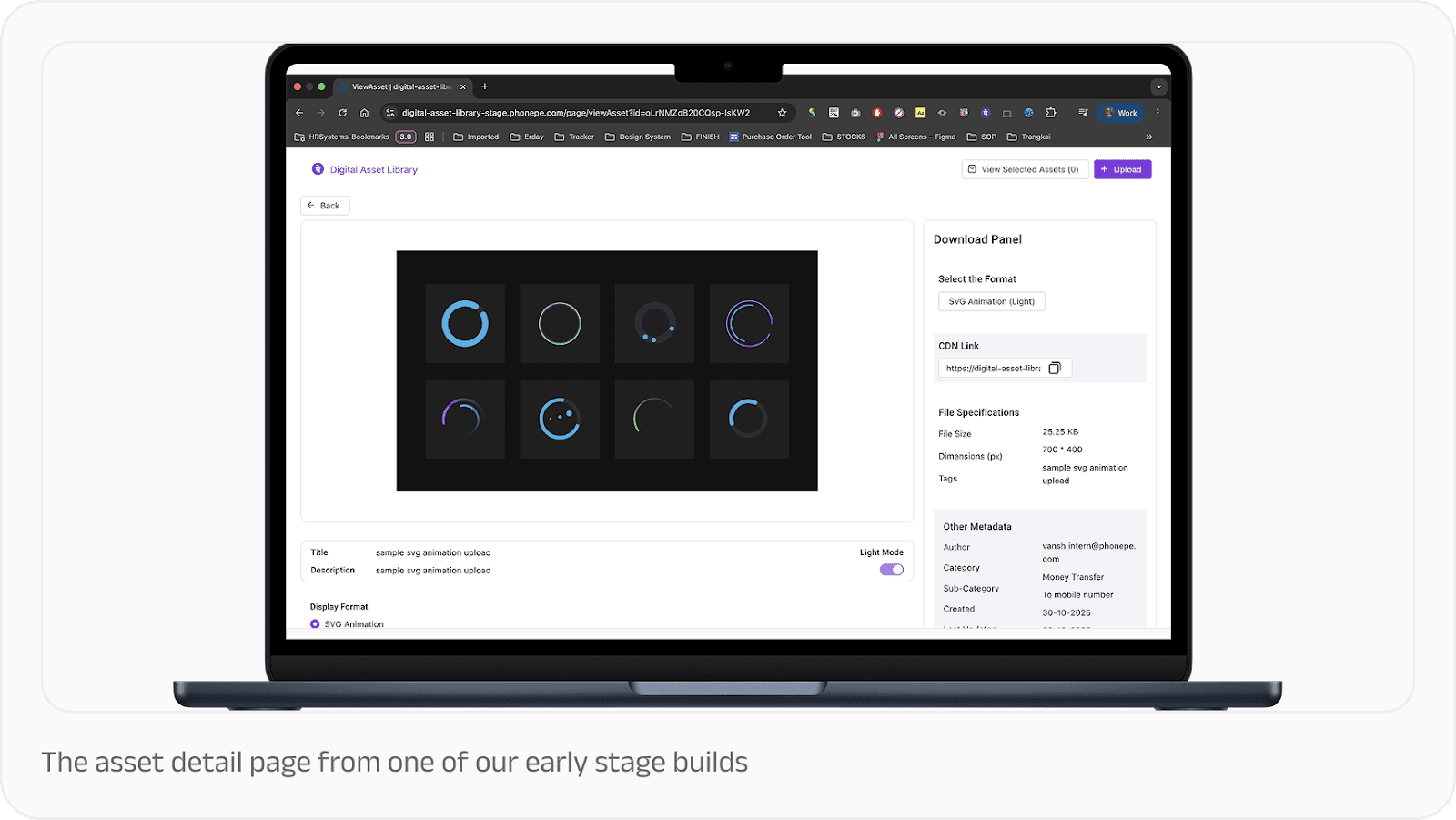


To solve that, we’ve developed a universal asset library to serve as a single, reliable source of truth for every reusable visual we create. In its final form, this library will simplify the workflow for both designers and developers by offering AI-driven tagging and a Figma plugin that lets designers pull the latest version of an asset directly into their workspace. 
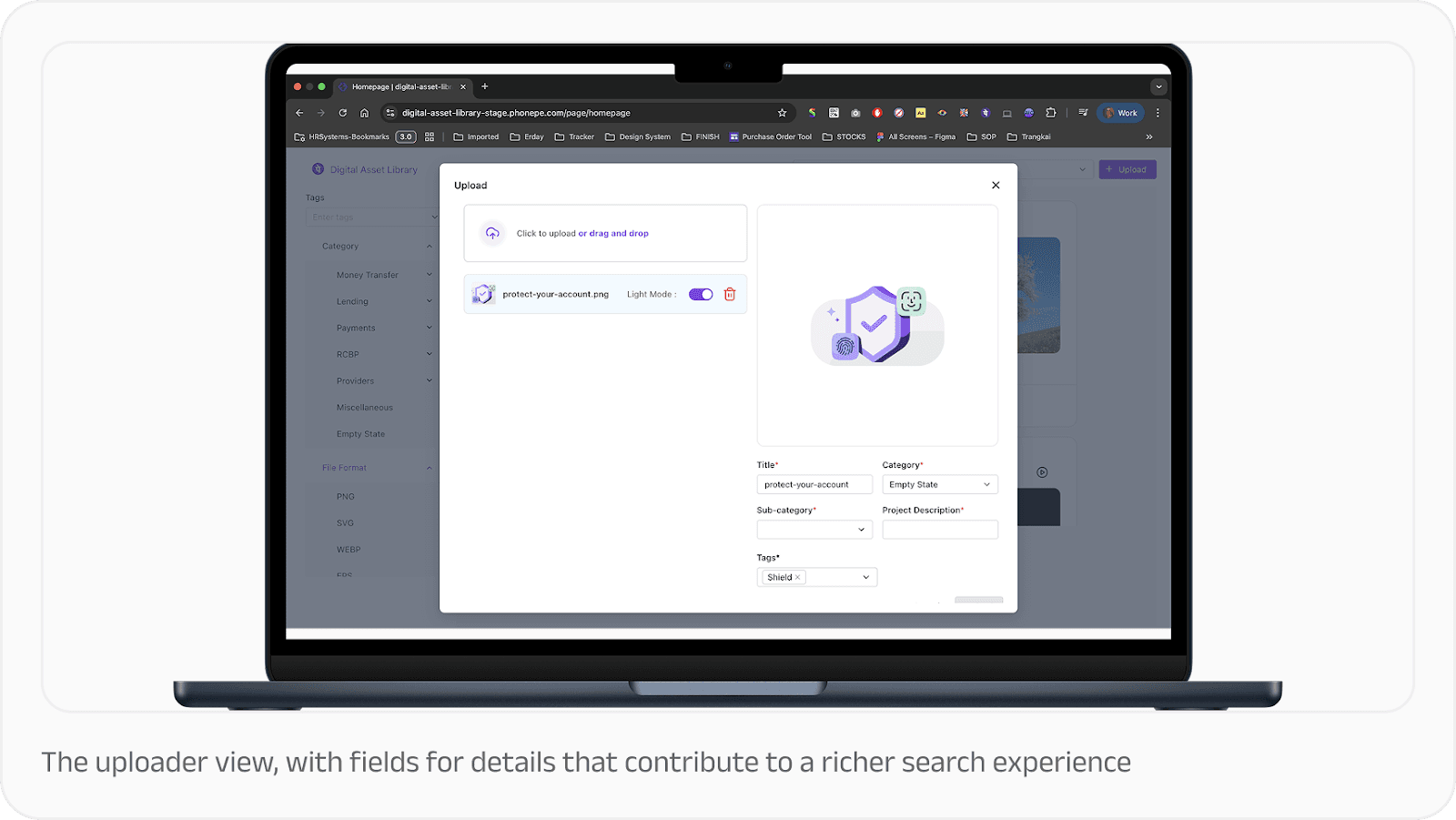


By centralising these resources with version control and usage stats, we eliminate the disruption of focus that comes from recreating or reformatting work that already exists.

Better tools, better products

Building at scale runs the risk of introducing a “process tax” that can stifle creativity. But through the creation of tools like Lucid, FigHub and the Digital Asset Library, we’re reclaiming the mental bandwidth required for deep thinking and creative problem-solving. We’re far more able to stay in a state of flow, focusing on the user journeys that matter most!
As a design team grows, the way we work has to evolve alongside the products we build. At scale, we face a dual challenge: coming up with the next big idea and creating a sustainable environment where those ideas can be realised quickly and consistently.

After all, even the best design processes have natural friction points. Designers often spend a chunk of their week on essential but repetitive tasks, like organising layers, searching for specific assets, or ensuring designs are used consistently across the product. By automating these "housekeeping" chores, we can significantly increase our market velocity, moving from a concept to a high-fidelity, testable prototype much faster.

This focus on efficiency also helps us manage design debt. Small inconsistencies in spacing or colour can easily slip through the cracks when you’re dealing with complex products. Custom tools act as a safety net, ensuring that what we hand over to developers is polished and accurate. This prevents complex "fixes" later in the production cycle, allowing both design and engineering to move in sync.

To help our team stay focused on high-level problem solving, we’ve started developing a suite of custom tools and plugins that work independently or with Figma. We want to free up our designers’ intuition by streamlining the logistics of design.

Lucid: Bringing consistency to copy

UX copy is a fundamental part of the product experience, but keeping it consistent across dozens of different features is a challenge. 

To solve that, we built an AI-assisted microcopy plugin called Lucid. It suggests microcopy right within the Figma file our designers are working on, based on the flow’s specific context as well as the global voice and tone guidelines that we’ve hard-coded into the plugin.

Lucid "sees" the component, so it knows if it’s working on an empty state or a confirmation message. This helps designers get as many variations of the copy as necessary, but all adhering to the best practices that apply to each component. 


In its current form, Lucid handles the "80%" use cases, which includes standard UI copy like error messages, tooltips and labels.

This ensures our UX writers can focus on complex user flows and high-impact strategy. It also makes sure that product, business and engineering folks are able to digest complete flows so they can provide feedback on the actual user journey. 


FigHub: Making design accessible 

Designers, developers, and PMs often have to keep track of what is live on a product, what the latest iteration of a particular feature is, or even what design experiments happened a year ago that can finally have their time in the spotlight. We’ve seen that Figma, when used correctly, can be a very powerful and visual source of truth. It is a lot easier than reading a PRD, and a lot more reliable than getting an answer from an agent. Improving the discovery of design also has other benefits, like knowing how much each IC has on their plate, bringing more detailed work into performance reviews, and so on. 

To solve that, we’re building a bridge: FigHub. It’s a portal that allows anyone—from Product Managers to Developers—to browse and query our entire Figma repository.

By using a Figma MCP (Model Context Protocol), FigHub automatically generates documentation and context for each project. It turns our repository into a transparent, searchable library, making it easier for stakeholders to find what they need without needing to be an expert in design software.

FigHub has been a huge success in the few pods we’ve piloted it in, because designers have been able to easily maintain structure and organise Figma files in a way that is searchable. As a stretch goal, we’d love to break free from the Figma file and make this a global repository and chatbot, by creating a version control system that the entire organisation can query and discover.

Asset Library: Documenting a shared visual language

Finding the right icon or illustration for a screen or context shouldn’t be a scavenger hunt, and yet it sometimes turns out to be just that. The current workflow around visual assets is often fragmented, leading to repeated back-and-forth over files created months ago or requests for different formats at irregular intervals. 


To solve that, we’ve developed a universal asset library to serve as a single, reliable source of truth for every reusable visual we create. In its final form, this library will simplify the workflow for both designers and developers by offering AI-driven tagging and a Figma plugin that lets designers pull the latest version of an asset directly into their workspace. 


By centralising these resources with version control and usage stats, we eliminate the disruption of focus that comes from recreating or reformatting work that already exists.

Better tools, better products

Building at scale runs the risk of introducing a “process tax” that can stifle creativity. But through the creation of tools like Lucid, FigHub and the Digital Asset Library, we’re reclaiming the mental bandwidth required for deep thinking and creative problem-solving. We’re far more able to stay in a state of flow, focusing on the user journeys that matter most!

If this excites you,
let's build together

Sign up to get updates about new essays and design events

If this excites you,
let's build together

Sign up to get updates about new essays and design events

If this excites you,
let's build together

Sign up to get updates about new essays and design events